
Your profile: niches and bio
The niches and bio on your profile are what topic suggestions, autopilot and research are drawn from. Up to 20 niches, a bio of up to 1000 characters.
Autogen does not know what you post about until you tell it. Two fields under Settings → Profile do that, and most of the product reads them.
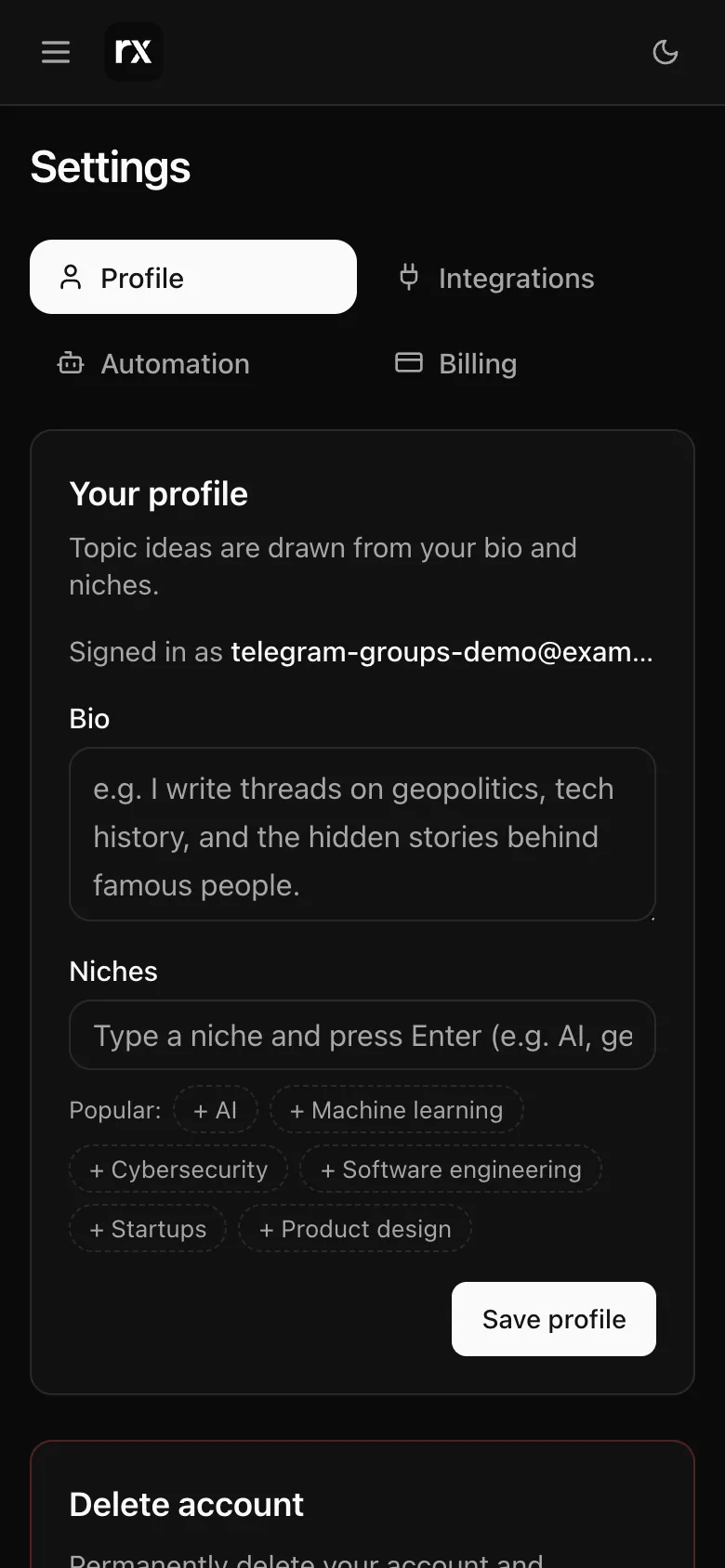
Niches
Short labels for what you write about: "AI tools", "running a small agency", "personal finance for freelancers". Type one and press Enter or a comma; paste a list and it is split for you. A row of Popular ones is there to tap. Up to 20, each up to 60 characters.
Bio
A paragraph on who you are and who reads you, up to 1000 characters. Once you have a niche, Write with AI drafts one from it; Use this or Keep mine, and nothing is saved until Save profile.
Where they are used
- Suggest for me on Create ranks ideas by fit to your niches and reads your bio for the angle. With both empty it asks you to add one first. See Topics and suggestions.
- Autopilot picks each day's topic from the same suggestions, highest fit first. See Autopilot.
- Research during a thread uses them to decide which sources and X posts fit you.
- Rewrite a post uses them to plan your version.
The welcome screen asks for up to five niches to start; the profile holds twenty. Better niches make better suggestions: "AI agents for sales teams" beats "AI".
Related
Updated 2026-10-22