
Autopilot: review first, or post automatically
Daily autoposting picks a topic from your niches, writes the thread and either waits for you or posts it. What each mode needs.
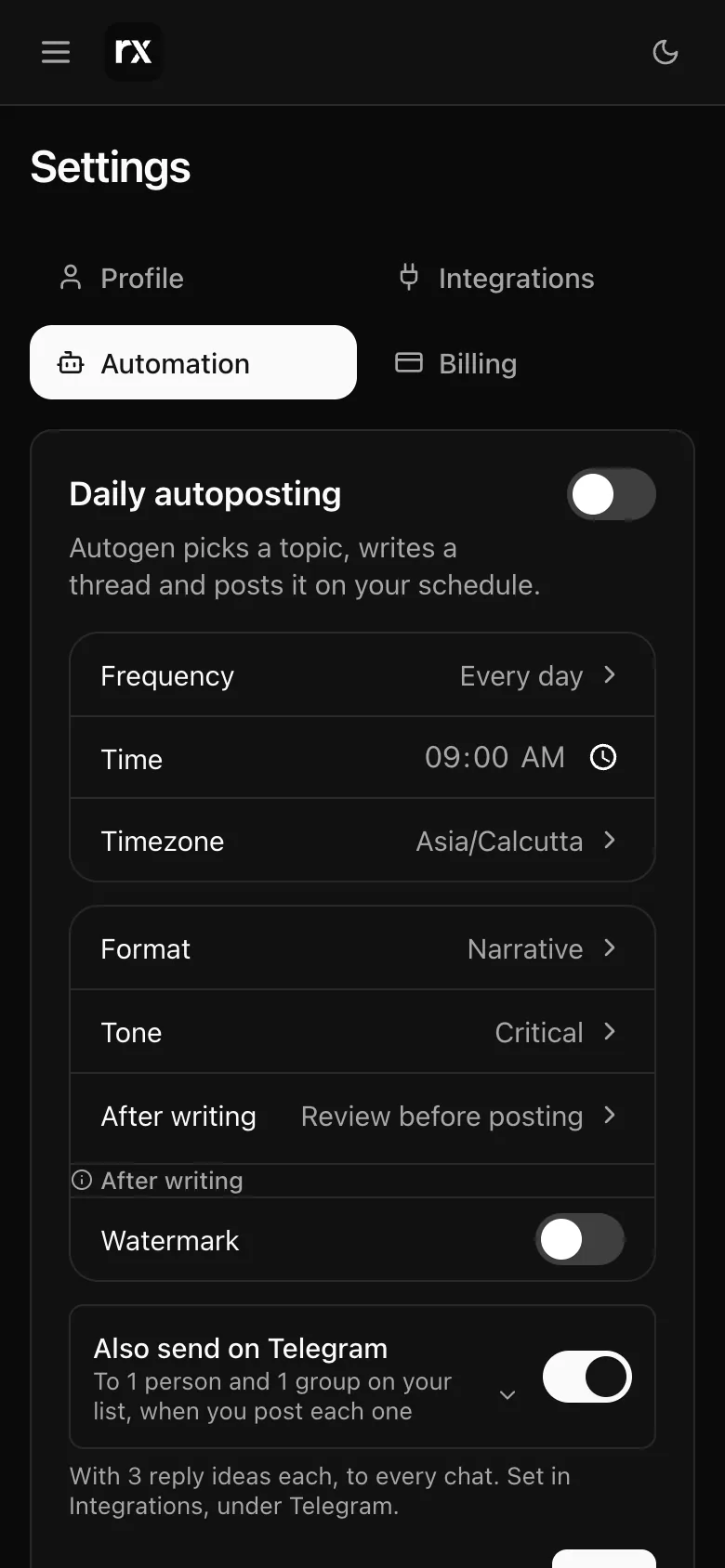
Daily autoposting, under Settings → Automation, writes a thread on a schedule without you typing a topic. Autogen picks one from your niches and bio, avoiding anything you have used in the last 30 days.
Two modes
After writing has two choices:
- Review before posting: the thread waits in History marked Pending approval. Open it, read it, change what you like in the chat, and press Post on X when it is right. Needs X connected or a Typefully key.
- Post automatically: the thread goes to X as soon as it is written. Needs a plan with posting (Starter and up), or a Typefully key on any plan. If posting fails after the thread is written, the run falls back to waiting for your review rather than losing the thread.
What it costs
Autopilot is on the monthly plans (Starter and up); the free trial does not include it. Automated threads come from the same thread allowance as the ones you start by hand, and use a publish only when they post direct to X. A run that fails gives its thread back. When the allowance is used up, or the monthly plan ends, autoposting switches itself off and the card says so; it stays off until you turn it back on.
Turning it on
Flip the switch on the Daily autoposting card, choose the mode, the schedule and the defaults for each thread (Schedule and defaults), and Save. Run once now starts a run straight away without waiting for the schedule. The card needs your X account connected, or a Typefully key, before it lets you save.
Open Settings → Automation (sign in first)Related
Updated 2026-11-14