
Telegram defaults, pauses and fixes
The defaults each thread starts with, the test message, what "paused" means, the three bot states, and how to remove Telegram.
Everything about your bot lives on one card: Settings → Integrations → Telegram. The badge in its header says what state it is in.
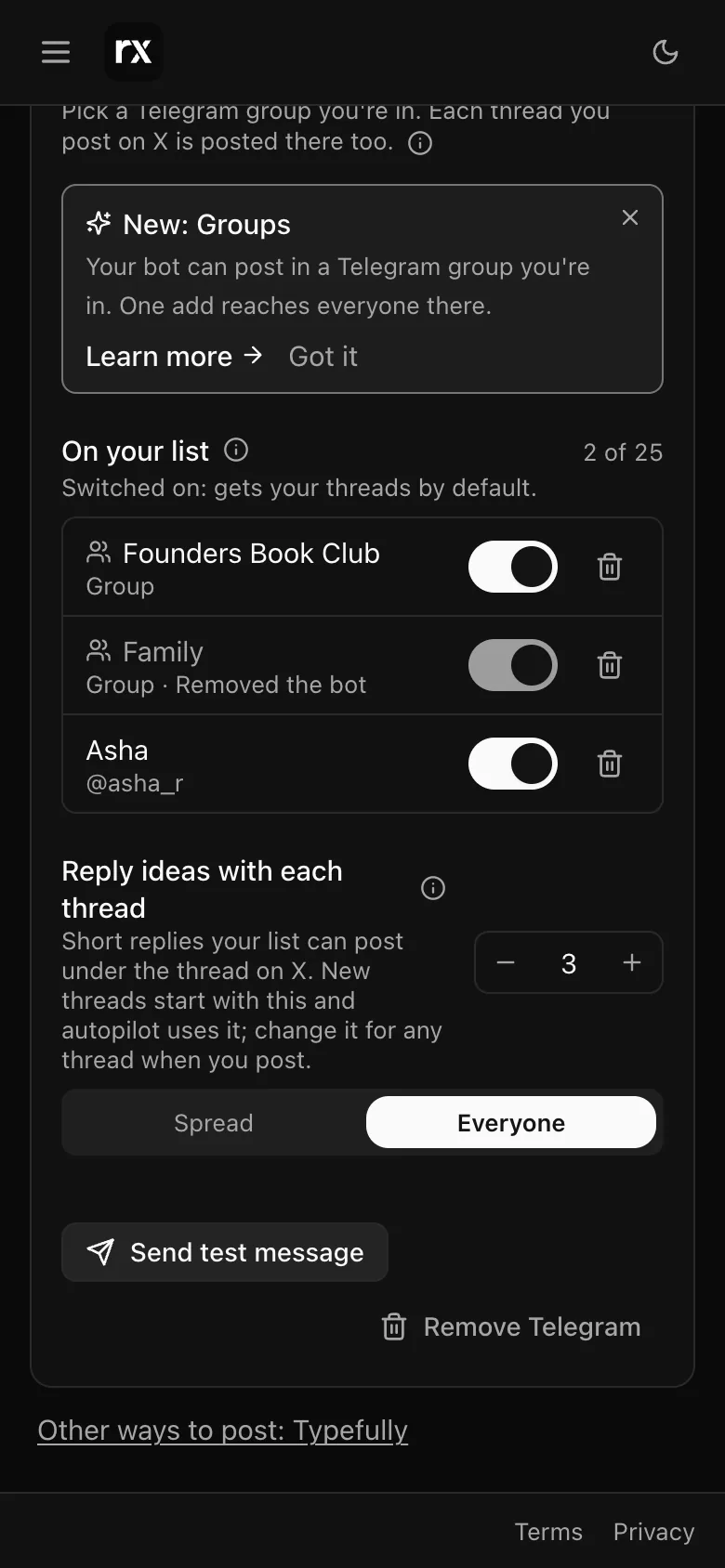
Defaults
- Each row's switch: switched on means that person or group gets every thread unless you choose otherwise in the Post dialog.
- Reply ideas with each thread: how many reply ideas each chat gets with a new thread (None to 10 each, every chat different ones), and the tones. Autopilot uses this too. You can change it for any thread while it is written or when you post.
Both save on their own; the card says Saved.
Send test message
Sends one line from your bot to everyone switched on, so you can see the delivery before a real thread. It is greyed out until someone on the list is switched on. The result says how many people got it and names anyone who did not.
Paused
Without a monthly plan (during the free trial, for example) the card says Paused: Telegram sharing is on the monthly plans. Your bot and your list are kept exactly as they are, and sending resumes when you upgrade. See Plans and limits.
When the card says Needs attention
- Setup didn't finish: the bot was created but Autogen could not finish wiring it. Tap Try again. If it keeps failing, Remove Telegram and create the bot again.
- Moved to another Telegram account: the bot's ownership was transferred in Telegram to an account Autogen does not know. Remove it and create a new one.
A person who left is marked Sent /stop or Blocked the bot on their row; a group that removed the bot shows Removed the bot, and adding the bot back restores it. See Add your bot to a group.
Removing Telegram
Remove Telegram deletes your list and stops all sending. The bot itself stays in your Telegram account; delete it in @BotFather if you do not need it. The setup bot's own chat with you stays too; it is Autogen's shared bot, used only to link your account and send you notices.
Autogen's setup bot answers any message with one line pointing you back to Settings. Everything is done from the card, not by chatting with it.
Related
Updated 2026-11-14