
Your own Telegram bot
Each thread you post on X reaches your friends on Telegram, from a bot that is yours. Creating it, inviting people, tests, reposts.
When you post a thread on X, Autogen can send it to people on Telegram: the cover picture, the hook, and a button to read it on X. The messages come from your own bot, under your name, not from Autogen's.
Creating your bot
Telegram sharing is on the monthly plans (not the free trial). In Settings → Integrations → Telegram:
- Tap Create my Telegram bot. Telegram opens on Autogen's setup bot; tap Start. That links your Telegram account to Autogen.
- Tap Create my bot. Telegram shows the bot's name and username, both editable; confirm.
- Back in Settings, the card says Bot ready and shows your bot's invite link.
On a computer without Telegram, the card shows a code to scan with your phone instead.
Inviting people
Send the invite link to friends. They open it in Telegram and tap Start once; from then on every thread you post on X reaches them. They can send /stop to your bot at any time, and /start to come back.
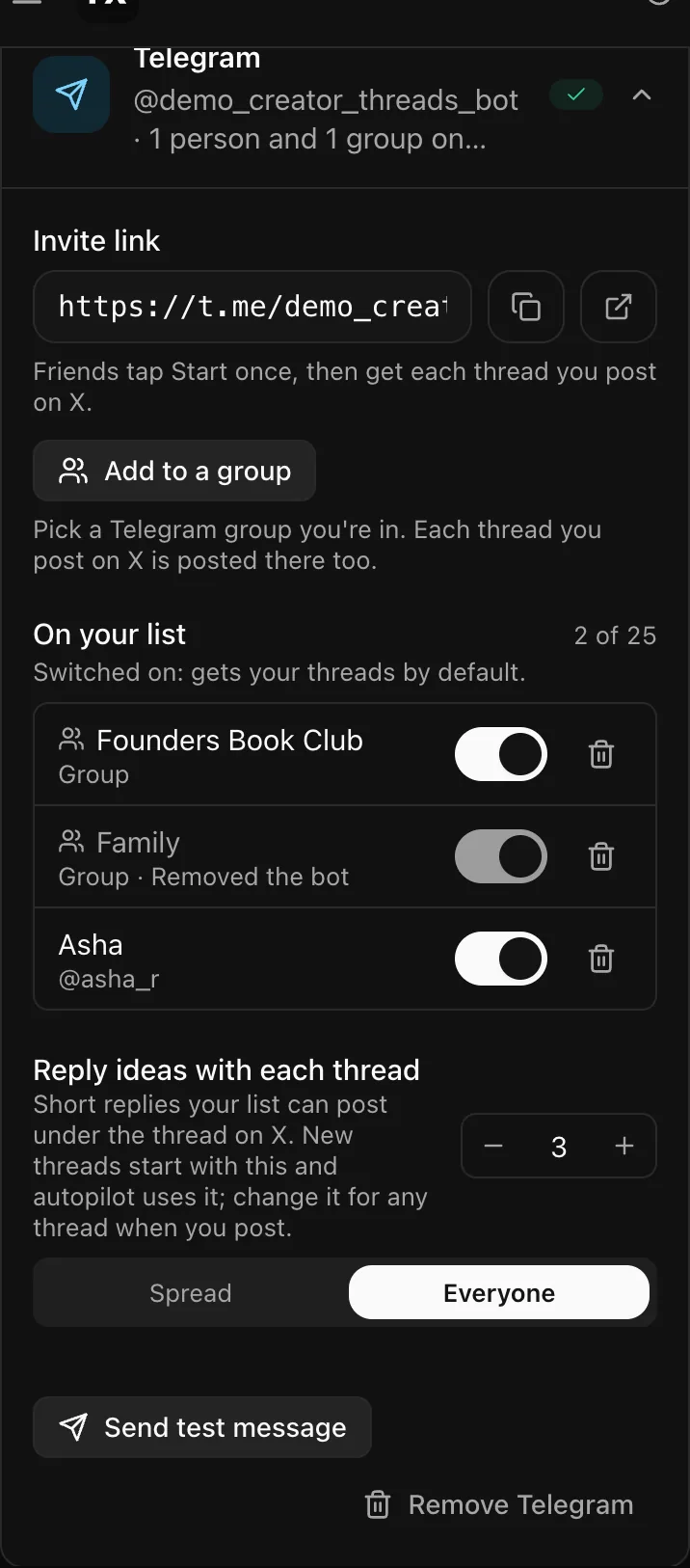
Each person who joins appears under On your list in Settings, with a switch. Switched on means they get your threads by default; you can also pick people per thread in the Post dialog. The bin icon on a row takes someone off the list; they can join again from the link.
A list holds up to 25 chats, people and groups together.
Groups
The bot can post in a Telegram group you are in, so one add reaches everyone there. See Add your bot to a group.
What gets sent, and when
Once the thread is on X: one message per chat, the link to the thread on X, which Telegram shows with X's own preview. If you asked for them, short reply ideas follow it. See Reply ideas. The thread page shows who it was sent to, and Send to Telegram for a thread posted before the bot existed.
Send test message sends a short test to everyone switched on, so you can see what they see.
Reposts on request
You can let a person on your list send your bot a link to a post on X, and have it reposted on your X timeline. It is off for everyone until you turn it on per person, with a limit a day, under their name in the list. Each repost shows in Settings with Undo. Only allow people you trust: it posts as you.
Pausing and removing
Without a monthly plan, sending pauses; your bot and list are kept. Remove Telegram forgets the link, the bot and the list; the bot itself stays in your Telegram account, and you can delete it in @BotFather.
Open Settings → Telegram (sign in first)Related
Updated 2026-11-14