
Add your bot to a group
Post each thread in a Telegram group you are in. Only you can add the bot; what happens when it is removed.
A group on your list gets each thread the way a person does: the link to it on X, as soon as the thread is on X.
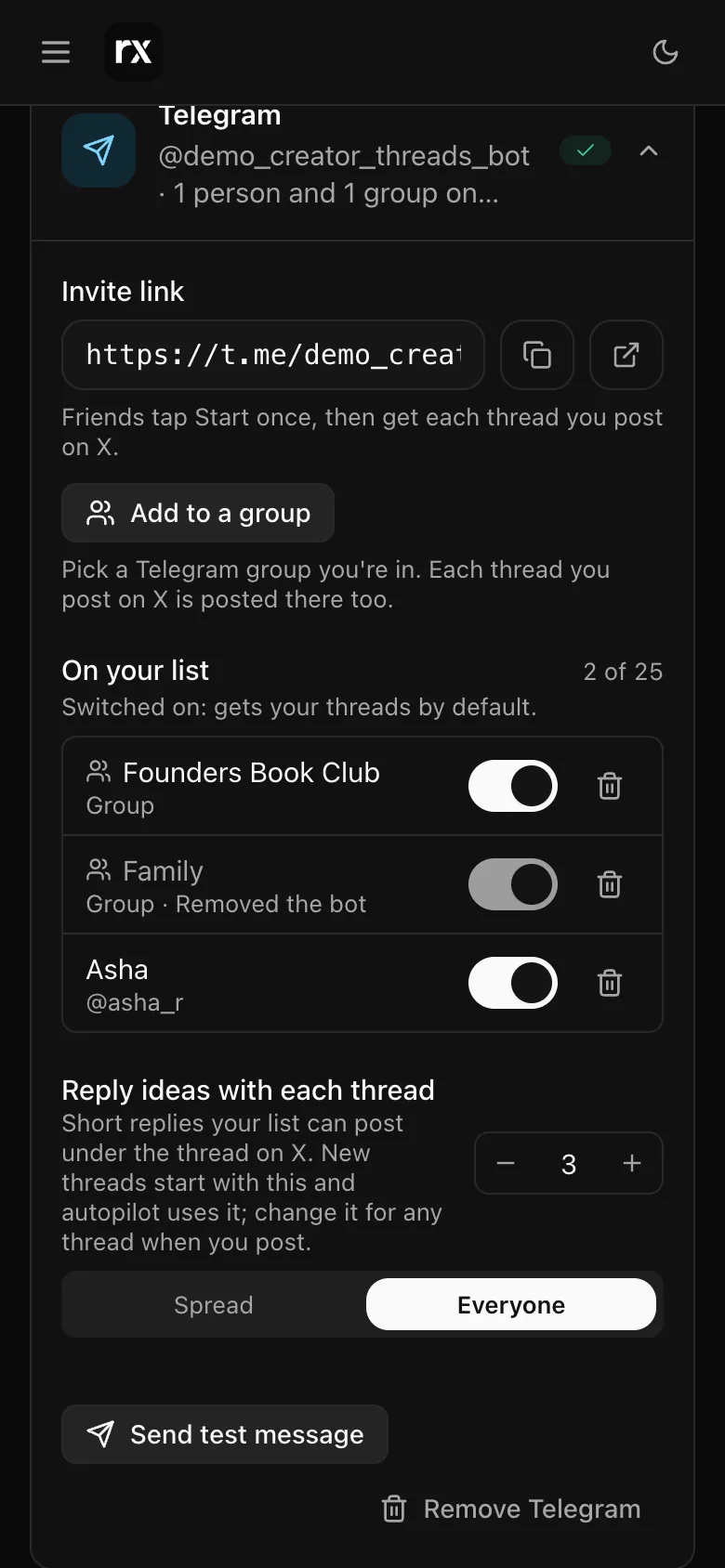
Adding the bot
- In Settings → Integrations → Telegram, tap Add to a group.
- Telegram opens its own picker. Choose a group you are in.
- The bot posts a short line in the group saying what it will send, and the group appears under On your list with a group icon.
Nobody in the group has to press anything. To stop the threads, remove the bot from the group, or take the group off your list in Settings, which makes the bot leave.
Only you can add it
Anyone with your bot's link could add it to a group of their own. If someone other than you does, the bot says so in that group and leaves. Your threads only go where you put them.
When a group removes the bot
The group shows Removed the bot on your list and you get a Telegram message saying so. Adding the bot back puts the group back on the list with its earlier settings. If you removed it yourself, nothing is sent.
Reply ideas in a group
Reply ideas can go to a group too: give it a number like any chat, and its ideas land in the group after the thread's link. More than three messages at once can read as spam there, and the screen says so. See Reply ideas.
Channels are different from groups and are not supported: a bot added to a channel leaves it. Reposts on request work for people, not groups.
Related
Updated 2026-10-22