
Share a thread with a link
A public link anyone can open without signing in, showing the thread as it is now. Revoke it any time.
A share link shows a thread to anyone, signed in or not, at an address like autogen.ragx.in/t/…. Send it to a friend before you post, or to someone who is not on X.
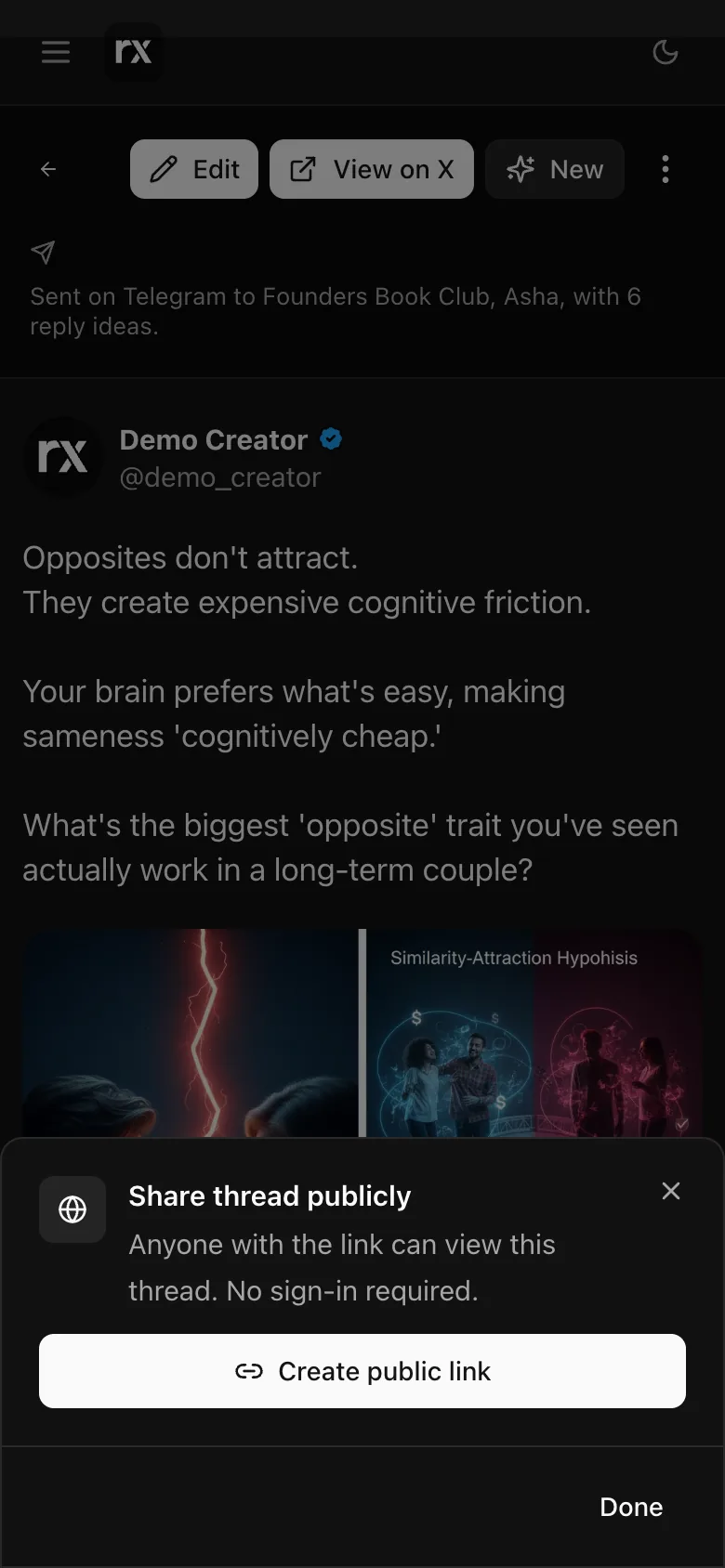
Making one
On a finished thread, open ⋮ → Share publicly and press Create public link. Copy it, or Share link opens your phone's share sheet. The Share button under any post does the same in one step: it creates the link and opens the share sheet.
The link shows the thread as it is now: edits you make later show up on it. Pasted into WhatsApp, Slack or X it previews with the topic, the hook and the cover. If the thread was posted through Autogen, the page says so with a link to X.
Turning it off
⋮ → Manage share link → Revoke link. The old address stops working at once ("This shared thread is no longer available"). Sharing again makes a new address.
Pictures on the shared page can be saved; clips cannot. Anyone who opens the link sees an invitation to make their own thread.
Related
Updated 2026-10-22