
Schedule, drafts and Post it myself
Post now, post at a time you pick, save a Typefully draft, or post by hand with each post copied for you.
The Post dialog asks two things: which account, and when. Post as is covered in Connect X and post; this is about when.
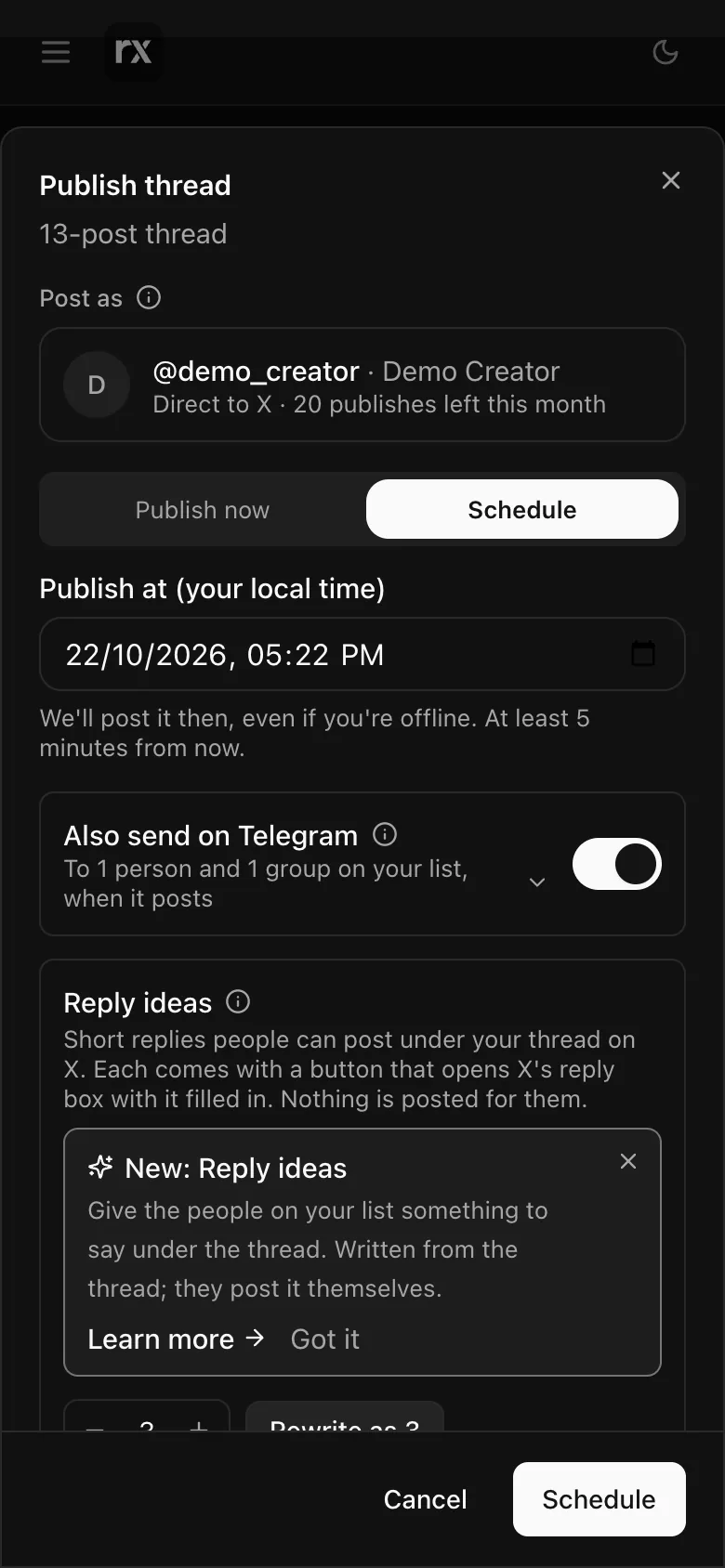
Publish now
Posts within a minute. Direct to X, Autogen first checks every post against X's rules (length, duplicates) and names anything to fix before it spends a publish.
Schedule
Pick a date and time in your local time, at least five minutes away. Direct to X, Autogen posts it then even if you are offline. Through Typefully, Typefully posts it then and you can change or drop the time there. Until it goes out the thread shows Scheduled in History, with View on Typefully when that is where it sits.
Save draft
With a Typefully account chosen, Save draft puts the thread in your Typefully drafts to finish there. It does not count as a publish.
Post it myself
For posting by hand, on any plan. On a phone it is in the ⋮ menu; it is also offered everywhere when neither X nor Typefully is set up. It walks the thread one post at a time:
- Start. Each post is copied to your clipboard as you reach it; Copy again if you need it.
- Save image/video to Photos hands the post's picture or clip to your phone.
- Open the X app on the first post. Paste, add the picture, then come back for the next with Added it — next post.
- On the last one, Added the last one — post it all, then press Post all in X.
Nothing here counts as a publish.
Open History (sign in first)Related
Updated 2026-10-22