
Autopilot: schedule and defaults
The days of the week and the time it posts; the format, list style, tone, account, watermark and Telegram sending each thread starts with.
One schedule, one thread per run. Everything is on the Daily autoposting card in Settings → Automation.
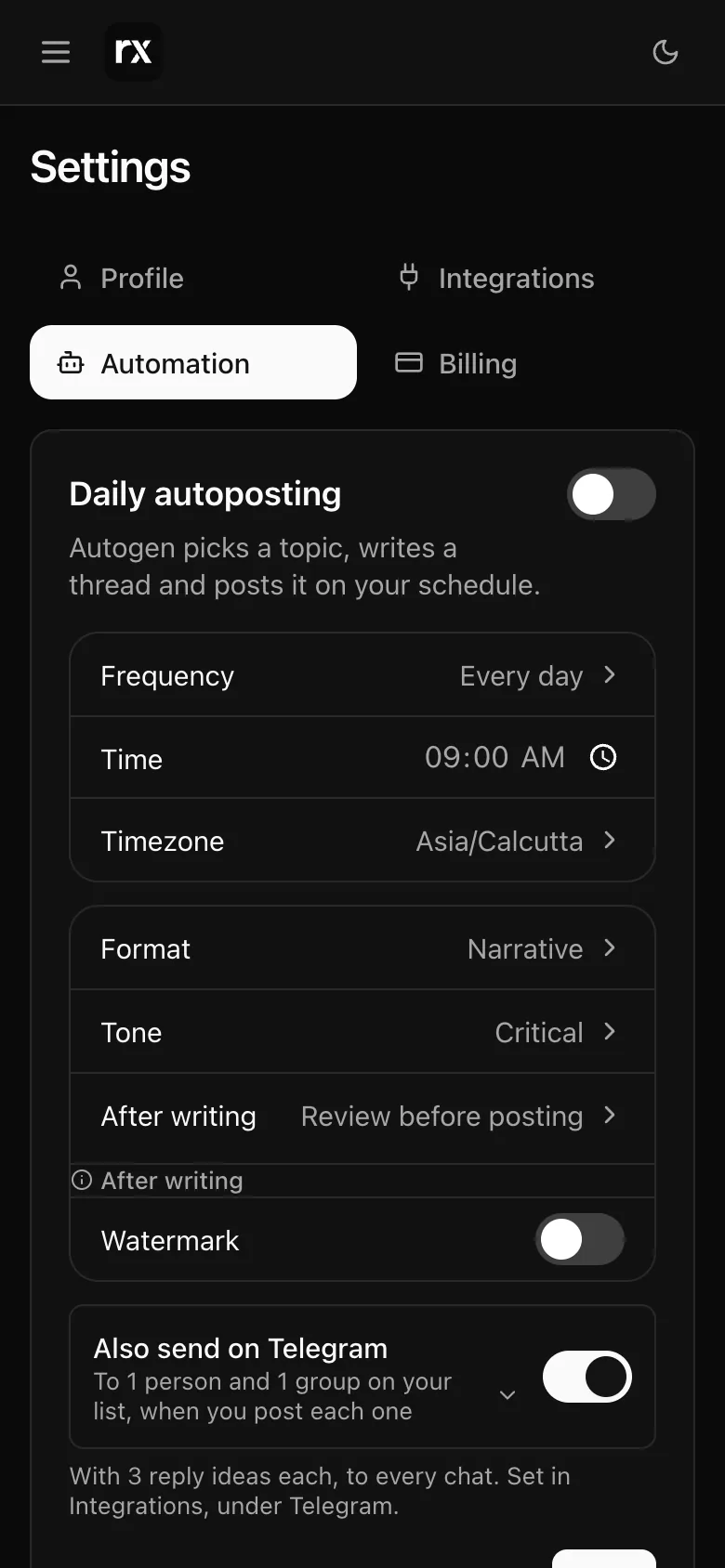
When
- Days: tap the days of the week it posts on, or a quick pick: Every day, Mon · Wed · Fri or Tue · Thu · Sat. One day is once a week. Two accounts can take turns, one on Mon · Wed · Fri and the other on Tue · Thu · Sat. Under the card, Next shows the next three posting dates.
- Time: one time of day, 09:00 unless you change it.
- Timezone: your browser's zone is filled in the first time; pick any other.
Each thread
- Format: Narrative. Autopilot writes narrative threads only.
- Tone: Critical, Sarcastic or Neutral.
- Post to: appears when more than one account is connected, direct X accounts and Typefully accounts alike.
- Watermark: a line placed on the pictures, up to 120 characters; your X handle is filled in when you first switch it on. Without a plan it is fixed to Autogen's mark.
- Also send on Telegram: shown when your bot is active, you are on a monthly plan and someone is on your list. In Post automatically mode each thread goes to Telegram once it is on X; in Review mode, when you post it. Under it, Reply ideas with each thread sets how many ideas go with each thread and how they are shared; see Reply ideas. The list itself is under Integrations → Telegram.
What stops it
- Allowance used up: the switch turns itself off and the card says "Autoposting is off: you've used your thread allowance."
- Three failed runs in a row: it pauses and shows the last error. Saving the card with the switch on starts it again.
- X disconnected with no Typefully key: runs are skipped until you reconnect; the card shows Connect X.
The last ten runs are listed under Recent runs; see Runs and approval.
Open Settings → Automation (sign in first)Was this helpful?
Related
Updated 2026-11-03