
The wait: what runs, how long, what to do meanwhile
Why a thread takes 5 to 10 minutes, what the progress bar is doing, and that you can leave.
A thread is researched, written, illustrated and checked. None of that is instant, and the page tells you where it is.
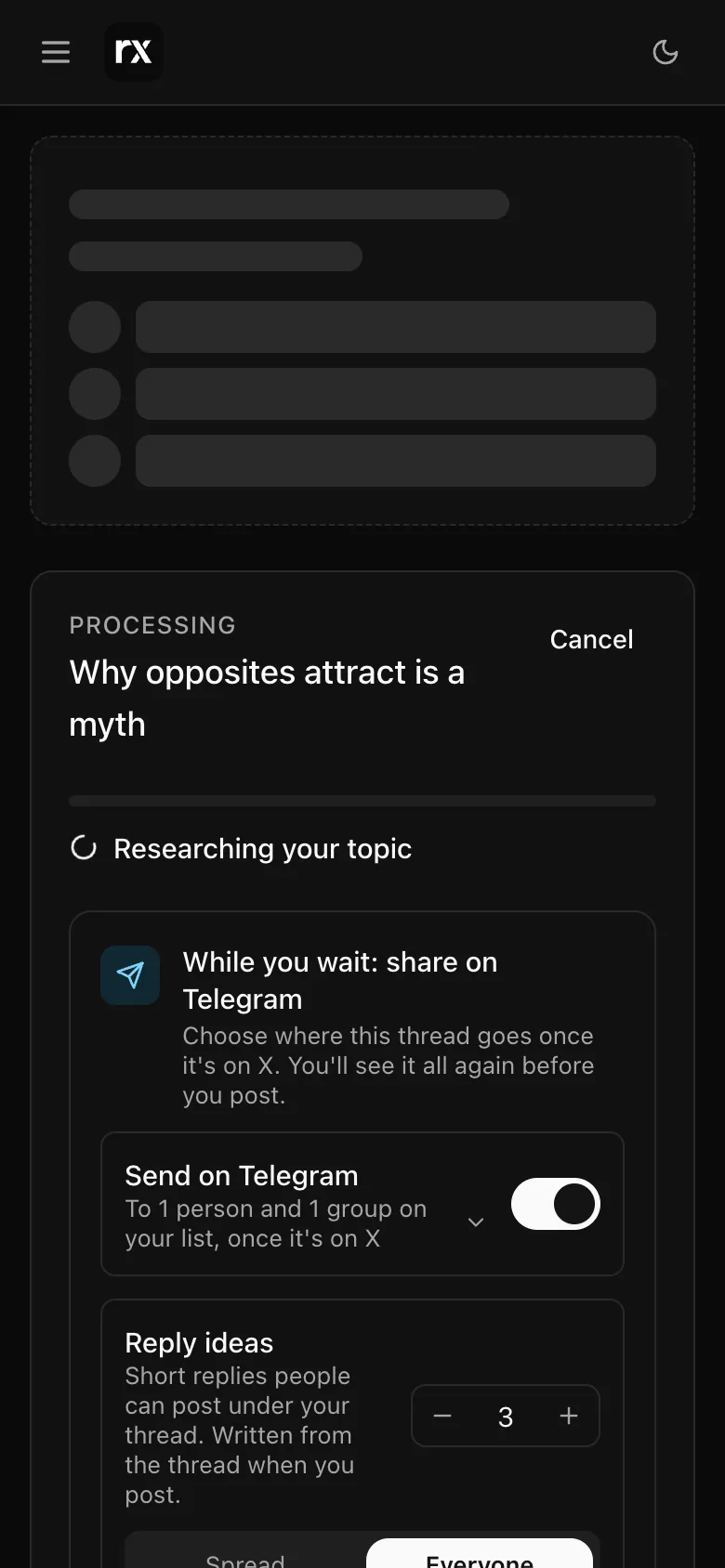
What the phases are
- Researching your topic: Autogen reads real sources on the topic and keeps the specific facts, with where they came from. This is the longest phase.
- Writing your thread: the posts, then the hook that opens the thread.
- Creating the images and clips: painted images, real photos, or video clips, depending on the format.
- Final checks: readability, and a pass that makes the writing sound like a person rather than a machine.
Most threads take 5 to 10 minutes. Photo listicles and narratives with many clips take the longer end.
You can leave
Close the tab, switch apps, go for a walk. The thread keeps writing. It shows in Tasks while it runs, and you get an email, "Your thread is ready", with a link straight to it. Coming back to Create while it runs picks it up where it is.
While you wait
If you share threads on Telegram, the wait screen asks where this one should go once it is on X and how many reply ideas to send with it. See Reply ideas. You will see the choice again before you post.
Cancel, restart, try again
- Cancel stops the run. A cancelled thread is not counted against your plan.
- If a run fails, the page says so in plain words and offers Try again with the same topic and choices. A failed run is not counted either.
- A thread that finished but is not what you wanted: generate again from the topic box. That is a new thread.
Related
Updated 2026-10-22