
Delete your account and data
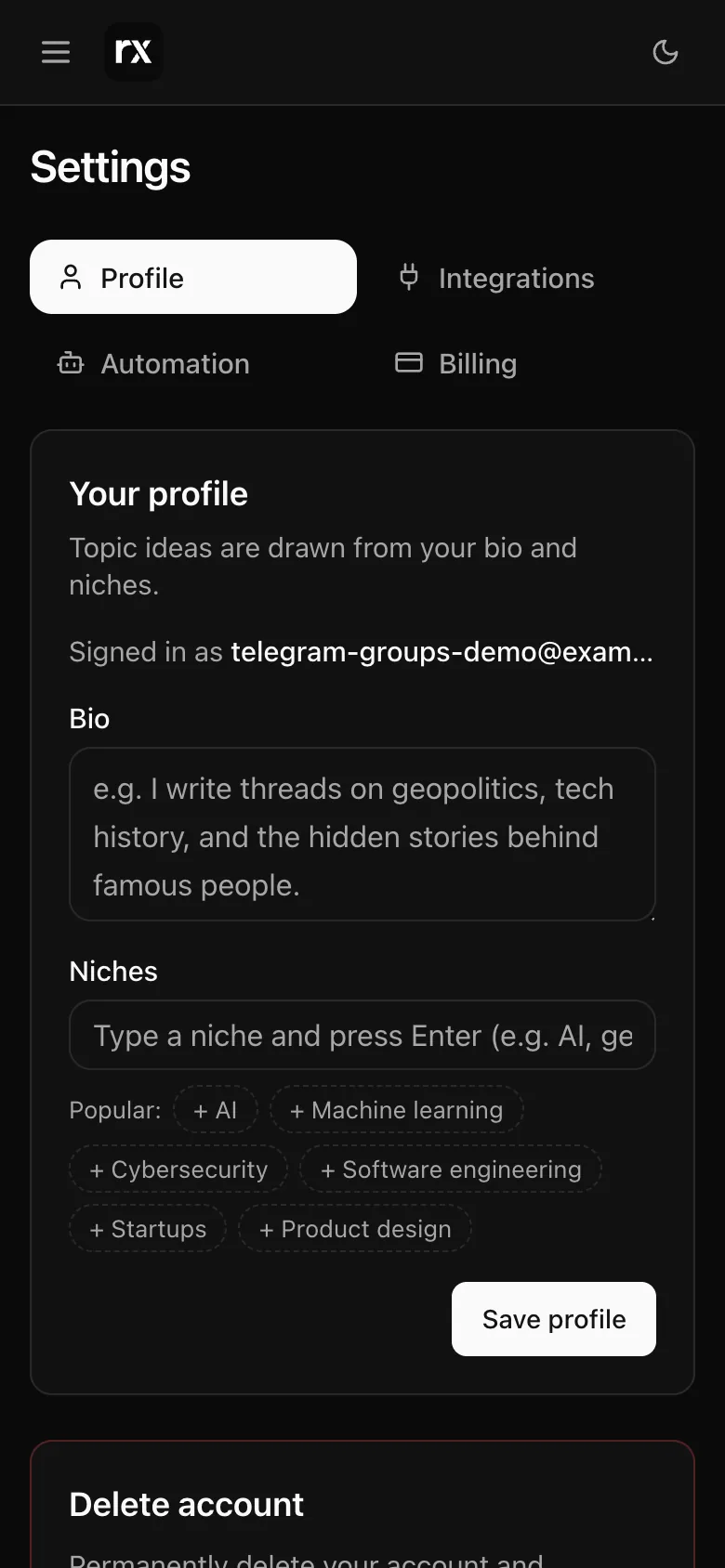
Settings → Profile → Delete account erases your threads, pictures, settings and connections. What stays, and what to do first.
Deleting is immediate and cannot be undone.
Before you do
- App Store or Google Play subscription: cancel it in your Apple or Google account first; Autogen cannot cancel those for you. A website subscription is cancelled as part of the deletion; the rest of the paid period is not refunded automatically (see Upgrade, cancel, refunds).
- Pictures or clips you want: download them first; see Download pictures and clips.
Deleting
Settings → Profile → Delete account → type DELETE → Delete forever. If the subscription cannot be stopped at that moment, nothing is deleted and you are asked to try again in a minute.
What is erased
Your threads, pictures and clips, topic suggestions, tasks, autopilot schedule and runs, the X and Apple links, your Telegram list and bot connection, feedback, usage and devices. You are signed out everywhere and notifications stop.
What stays
- Payment records, with your details removed, because the law requires them.
- Posts already on X: they are yours on X and stay there. Autogen's access to your X account is deleted on our side; to revoke it on X as well, remove Autogen under X's Connected apps.
- Your Telegram bot itself, which lives in your Telegram account; delete it in @BotFather if you do not want it.
Signed out and want this done? The public page /delete-account has the steps, or write to developer@ragx.in from the account's address; we finish within 30 days.
Open Settings → Profile (sign in first)Related
Updated 2026-10-22